
Merge JPG Files into One Image Online
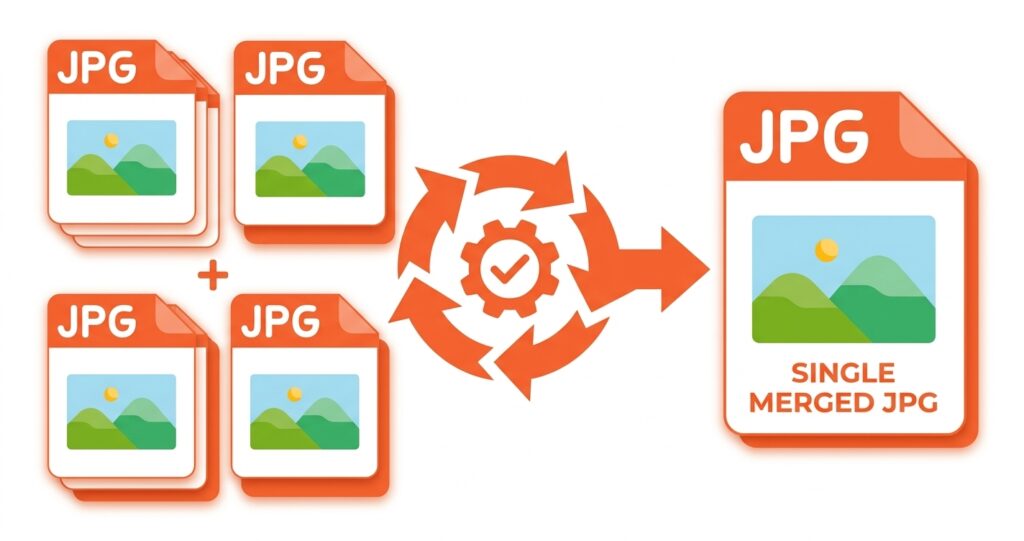
Combine multiple JPGs to one JPG with our free online JPG Merger. Simply upload your JPGs, choose a vertical or horizontal layout, click “Merge JPG,” then preview and download your merged image.
Drag & Drop JPG files here
Up to 20 images · JPG, PNG, WebP, GIF, and supported HEIC files
Merged image
Click the image to open a larger preview.
100% client-side processing. Your images are not stored or shared.
How to Merge JPG Files Online?
Follow these simple steps to combine JPG files into one high-quality JPG image online:
Upload Your JPG Files
Click “Choose JPG Files” or drag and drop your JPG files into the tool.
Arrange Your Images
Drag and drop your images to arrange them in the preferred order.
Choose Your Layout
Select Vertical to merge images from top to bottom or Horizontal to place them side by side.
Customize Your Merge
Use More Options to adjust the border color, border width, and spacing between images.
Merge and Download
Click Merge JPG to combine your images and then preview the result, and download the merged file as JPG, JPEG, PNG, WebP, or PDF.
About MergeJPG.best
MergeJPG.best is a free, fast, and easy-to-use online JPG merger that helps you combine multiple JPG files into one image online. No software installation, sign-up, or complicated setup is required. Your images are processed directly in your browser, which means they are not uploaded to our servers. Your files stay on your device throughout the merging process.
Upload your images, arrange them in your preferred order, and choose a vertical or horizontal layout. You can also customize image spacing, border color, and border width before merging. Once your images are combined, download the final file as JPG, JPEG, PNG, WebP, or PDF.
Whether you’re combining photos, screenshots, scanned documents, product images, or other visuals, MergeJPG.best provides a simple and convenient way to merge images into one file online.
Why Use MergeJPG.best?
Free and Easy to Use
Merge JPG files online for free with a simple and user-friendly tool. No signup, registration, or software installation is required. Just upload your images, arrange them, choose your preferred layout, and merge them in a few clicks.
Safe and Secure Image Processing
Your images are processed directly in your browser, so they are not uploaded to our servers. Your files stay on your device throughout the merging process, helping keep your images private and secure.
Merge Multiple Images at Once
Merge up to 20 images at once into a single file. Upload your JPG, JPEG, PNG, GIF, or WebP images together, arrange their order, and combine them without merging each image separately.
Flexible Layout Options
Choose how your images appear in the final file: vertical or horizontal layout. Place images vertically (top to bottom) or horizontally (side by side), and rearrange their order before merging to create the layout you need.
High-Quality Output
Merge your images into a clear, high-quality file while preserving their original dimensions and visual clarity as much as possible. Our browser-based merging process combines the images without unnecessary resizing, helping your final file retain the quality of your original images.
Download in Multiple Formats
Choose from JPG, JPEG, PNG, WebP, or PDF when downloading your merged file. JPG and JPEG are ideal for photos and everyday sharing, while PNG works well for screenshots, graphics, and sharp details. Choose PDF when you need to share or print your merged images.
Fast Image Merging
Merge multiple images in seconds with a simple, browser-based tool. Upload your files, choose a layout, and create your merged image without unnecessary steps or delays.
Works on All Devices
Merge images easily from your smartphone, tablet, or computer. Simply open MergeJPG.best in your mobile browser to upload, arrange, and merge JPGs without installing an app.
Popular Uses of Our JPG Merger
Our JPG merger is useful for more than just combining photos. You can combine multiple images into one organized file for everyday, personal, educational, and professional tasks.
- Combine ID Card Front and Back: Merge the front and back of an ID card into one JPG or PDF for easier submission, sharing, or record-keeping.
- Merge Scanned Documents: Combine scanned pages, forms, certificates, or other documents into one image for easier storage and sharing.
- Combine Passport Pages: Place relevant passport pages or travel documents together in one image when a single file is more convenient.
- Create Before-and-After Comparisons: Put before-and-after images side by side to show changes in renovations, designs, edits, projects, or other results.
- Combine Receipts and Invoices: Merge receipt, invoice, and bill images into one file for expense records, reporting, or documentation.
- Merge Screenshots: Combine multiple screenshots into one image for tutorials, troubleshooting guides, app demonstrations, or documentation.
- Combine Product Images: Join different product photos, angles, or variations into one image for online listings, catalogs, comparisons, or presentations.
- Create Photo Collages: Combine family, travel, event, or personal photos into one image for social media, albums, presentations, or easy sharing.
- Combine Assignments and Notes: Merge photos or scans of homework, assignments, handwritten notes, diagrams, and study materials into one organized image.
- Create Portfolio and Project Images: Combine design samples, artwork, project screenshots, or other creative work into one visual for portfolios, presentations, and client previews.
Who Can Use Our JPG Merger?
Our online JPG merger is useful for anyone who needs to merge JPG files, combine JPEG images, or join multiple pictures into one file. From students and professionals to online sellers and everyday users, you can combine images quickly without installing software.
Students and Teachers
Students and teachers can merge JPG images of assignments, notes, worksheets, diagrams, and scanned pages into one organized file. This makes it easier to submit, share, or store multiple pages together.
Online Sellers and E-commerce Businesses
Online sellers can combine multiple JPG images of products, different angles, features, or variations into one image. This can be useful for product listings, catalogs, comparisons, and promotional materials.
Professionals and Businesses
Businesses can use our JPG merger online to combine receipts, invoices, reports, screenshots, charts, forms, and other work-related images. Merging these files into one image can make documents easier to organize and share.
Photographers and Designers
Photographers and designers can merge JPG files into one image to create photo collages, before-and-after comparisons, project previews, portfolios, and design samples. You can also arrange images horizontally or vertically to create the layout you need.
Everyday Users
Anyone can use our free JPG merger to combine family photos, travel pictures, screenshots, scanned documents, receipts, or other images. It provides a simple way to merge multiple JPGs into one file for easier sharing and storage.
Frequently Asked Questions
Upload your JPG files to MergeJPG.best, arrange them in your preferred order, and choose a vertical or horizontal layout. Then click “Merge JPG” to combine your images into one file. You can preview the result and download it in your preferred format.
You can merge up to 20 images at once. The tool supports JPG, JPEG, PNG, GIF, and WebP files, so you can combine multiple images into one JPG.
No. Your images are processed directly in your browser and are not uploaded to our servers during the merging process. Your files stay on your device while you use the tool.
No. MergeJPG.best works directly in your web browser. You can merge JPG files online without installing any applications or software, creating an account, or signing up.
Yes. The JPG merger works on smartphones, tablets, and computers. Open MergeJPG.best in your mobile browser to upload, arrange, merge, and download your images.
The tool combines your images without unnecessary resizing and preserves their original quality. The final result can vary depending on the source images and the output format you select.